Published: October 23, 2026
By: Engineer Faris Jamil
Category: Cybersecurity, Website Security & Technology
A Critical Security Warning for Website Owners and Businesses
The cybersecurity landscape is changing rapidly. New software vulnerabilities, increasingly sophisticated cyberattacks, and the growing use of artificial intelligence by malicious actors are creating serious challenges for website owners, businesses, developers, and IT professionals.
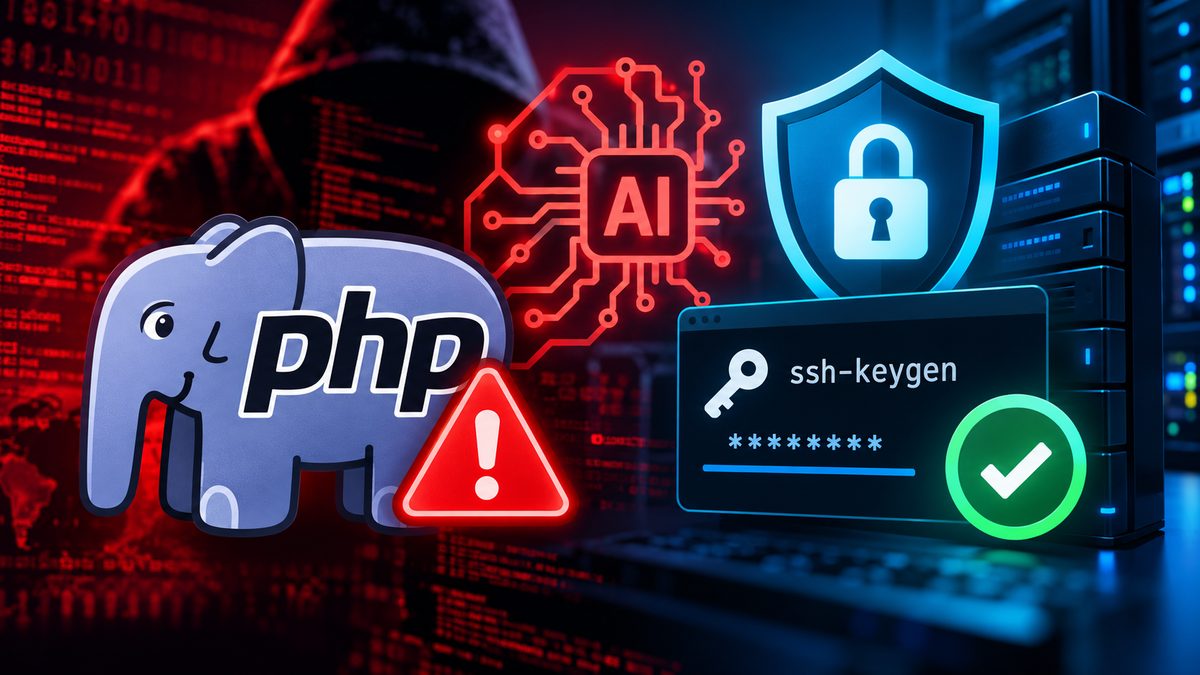
On October 21, 2026, the PHP development team released emergency security updates addressing two critical vulnerabilities that could allow attackers to execute malicious code on vulnerable servers without authentication.
These vulnerabilities are particularly concerning because PHP powers millions of websites and applications, including content management systems, e-commerce platforms, customer management systems, and custom business software.
At the same time, AI-assisted cyberattacks are making it easier for criminals to automate vulnerability discovery, analyze exposed systems, and conduct phishing and credential theft attempts.
The message is clear: updating PHP is essential, but maintaining website security also requires protecting passwords, SSH keys, source code repositories, API credentials, and hosting environments.
In this article, we explain the latest PHP security concerns, the growing risks associated with AI-assisted hacking, and the practical steps businesses and developers should take to strengthen their security.
1. What Happened to PHP in October 2026?
On October 21, 2026, the PHP development team released important security updates to address two critical vulnerabilities:
- CVE-2026-109618
- CVE-2026-109619
Both vulnerabilities received a critical severity rating of 9.2 under CVSS v4.0.
The vulnerabilities could potentially allow unauthenticated remote code execution, meaning an attacker might execute unauthorized commands on a vulnerable server without having a valid login.
Depending on the server configuration and application environment, a successful attack could expose sensitive information or compromise services.
The PHP development team urged users to update their installations immediately. <Cite refs={["turn471509search0","turn471509search6"]}/>
Which PHP versions need to be updated?
| PHP VersionSecurity Update | |
| PHP 8.2 | 8.2.35 |
| PHP 8.3 | 8.3.36 |
| PHP 8.4 | 8.4.27 |
| PHP 8.5 | 8.5.12 |
| PHP 8.1 or older | Upgrade to a supported version or obtain verified vendor security backports |
These are the initial fixed releases published on October 21, 2026. Website administrators should always install the latest supported security release available for their environment.
An additional PHP security concern
On October 23, 2026, PHP disclosed another potential remote code execution issue affecting applications with an unusual configuration.
As a temporary precaution, affected administrators were advised to disable the session.upload_progress.enabled setting until an appropriate fix becomes available.
This mitigation addresses the additional issue and does not replace the critical October 21 PHP updates. <Cite ref="turn471509search6"/>
2. How AI Is Changing Cyberattacks
Artificial intelligence has become an important tool in modern software development, cybersecurity analysis, and business automation.
Unfortunately, the same technology can also assist cybercriminals.
AI-assisted tools can reduce the time required to perform certain activities, allowing attackers to operate more efficiently and conduct attacks at a larger scale.
Automated vulnerability discovery
AI can help analyze software code, identify outdated components, and prioritize potential security weaknesses.
While these capabilities are valuable for legitimate security researchers, attackers may also use them to identify vulnerable applications.
Faster attacks against outdated websites
Once a security vulnerability becomes public, automated tools can help attackers identify websites running potentially affected software.
Businesses that delay security updates may face increased exposure as information about a vulnerability becomes widely available.
AI-generated phishing attacks
Cybercriminals can use AI to create convincing emails and messages impersonating hosting providers, developers, financial institutions, or IT administrators.
These messages may attempt to trick recipients into sharing passwords, authentication codes, SSH keys, or other sensitive information.
Credential theft and exposed secrets
When an attacker gains unauthorized access to a system, they may attempt to locate sensitive information, including:
- Website administrator passwords
- SSH private keys
- Database credentials
- Git repository access tokens
- API keys
- Cloud hosting credentials
- Email service passwords
- Application configuration files
These credentials may provide access to additional systems even after the original software vulnerability has been patched.
Security risks from AI development assistants
AI coding assistants can help developers write, debug, and maintain applications. However, giving these tools unrestricted access to production environments introduces additional risks.
AI tools should only receive the permissions necessary for their assigned tasks.
Sensitive credentials should never be pasted into prompts or exposed unnecessarily to automated development workflows.
AI does not automatically defeat encryption or authentication. Its primary risk is that it can accelerate and scale certain attack techniques.
3. Why Updating PHP Alone Is Not Enough
Installing the latest PHP version is an essential first step, but it does not guarantee that a previously exposed system is secure.
If unauthorized access occurred before a vulnerability was patched, an attacker might have obtained credentials or modified application files.
Those changes may remain even after the original vulnerability is fixed.
For example, an exposed SSH private key might still provide access to a source code repository. A stolen API token might continue working until it is revoked.
This is why organizations should consider additional security measures following a major vulnerability disclosure.
These include reviewing access permissions, checking for suspicious activity, rotating potentially compromised credentials, and verifying the integrity of applications and backups.
A security update fixes known vulnerabilities. A security review helps determine whether anything else needs attention.
4. Immediate Steps to Protect Your Website
Website owners and administrators should take several important precautions.
Update PHP and website software
Check the PHP version used by each website or application and install the latest security updates.
Also update any affected frameworks, plugins, extensions, and third-party dependencies.
If your website is managed by a hosting provider, contact their support team to confirm that the relevant security updates have been installed.
Review website activity
Check for unusual login attempts, unexpected administrator accounts, unexplained file changes, and suspicious application activity.
Hosting providers and website security specialists can assist with reviewing technical logs and identifying signs of unauthorized access.
Protect your backups
Maintain secure, up-to-date backups of website files, databases, and important configurations.
Backups should be stored separately from the production website, protected against unauthorized access, and tested periodically.
Enable additional security controls
Use multi-factor authentication wherever available, restrict administrator access, enforce strong passwords, and remove unnecessary accounts.
Consider using a reputable web application firewall and continuous security monitoring.
These protections complement software updates but do not replace them.
5. SSH Security: Why You Should Review and Replace Old Keys
SSH keys are commonly used by developers and administrators to securely access servers and source code repositories.
An SSH key pair contains two parts:
Private key: A sensitive credential that must remain protected.
Public key: A corresponding key that can be registered with a server or source code platform to authorize access.
Unlike a password, an SSH private key is typically stored as a file on a developer's computer or server.
If an attacker obtains a usable private key, they may be able to authenticate to systems that trust it.
When should SSH keys be replaced?
SSH keys should be reviewed and potentially replaced when:
- A computer or server has been compromised.
- A private key may have been exposed.
- An employee or contractor no longer requires access.
- An old deployment system has been retired.
- An unauthorized or unrecognized key is discovered.
- An organization is responding to a security incident.
Replacing every SSH key is not automatically necessary after every PHP update. However, rotating potentially exposed keys is an important part of incident recovery.
Recommended SSH security practices
Each developer should use an individual SSH key rather than sharing one key across the entire team.
Production servers should use dedicated deployment credentials with the minimum required permissions.
Where possible, deployment keys should have read-only access to source code repositories.
Private keys must never be shared through email, messaging platforms, or AI conversations.
6. How to Remove Old SSH Keys and Generate New Ones
The following procedure applies generally to systems that use OpenSSH. Menu names may differ depending on the Git hosting service or operating system.
Step 1: Review existing keys
Sign in to your Git hosting platform or server management interface.
Find the section used to manage SSH keys, authorized keys, or deployment credentials.
Review existing entries and identify keys that are no longer required or may have been exposed.
Before revoking a key, identify any applications or automated deployment processes that depend on it.
Step 2: Revoke old or compromised keys
Remove affected public keys from the systems or accounts that authorize them.
For servers, this may involve reviewing authorized SSH keys.
For Git hosting platforms, it may involve removing personal account keys or repository deployment keys.
If a credential is actively being abused, revoke it immediately and follow your incident-response process.
Step 3: Generate a new SSH key
On a trusted computer, open a terminal or Git Bash and run:
ssh-keygen -t ed25519 -C "developer-2026" -f ~/.ssh/id_ed25519_work
When prompted, create a strong passphrase.
If the chosen key filename already exists, do not overwrite it without checking whether it is still needed.
This command generates a new private key and a corresponding public key.
Step 4: Display your public key
Run:
cat ~/.ssh/id_ed25519_work.pub
Copy the displayed public key and register it with your Git hosting provider or authorized server.
Never upload, email, or share the private key file.
Step 5: Test your SSH connection
Use your Git provider's documented SSH test command.
For example, a GitHub connection can be tested using:
ssh -T [email protected]
Verify the server's SSH fingerprint using a trusted source before accepting a first-time connection.
Other hosting providers may require a different hostname or SSH port.
Step 6: Update automated deployments
Websites that automatically download updates from source code repositories may require separate deployment credentials.
Generate these credentials directly on the trusted deployment machine, register their public keys with the appropriate repository, and limit their permissions.
Once the replacement credentials have been verified, remove any remaining obsolete authorization.
7. Secure Your Source Code Repositories
Source code repositories are a critical part of modern software development.
They may contain application code, deployment scripts, configuration information, and references to external services.
If an attacker obtains unauthorized repository access, they may be able to read confidential code or, depending on permissions, introduce malicious modifications.
Businesses should regularly review repository security settings.
Recommended protections include:
- Enable multi-factor authentication.
- Restrict access to authorized developers.
- Remove inactive users and unnecessary permissions.
- Use separate deployment keys for automated systems.
- Limit deployment keys to read-only access where possible.
- Protect important branches from unauthorized changes.
- Require code reviews before production releases.
- Monitor repository access and modification history.
- Scan repositories for accidentally committed secrets.
- Review third-party integrations, webhooks, and automated workflows.
Organizations using GitHub, GitLab, Gitea, Bitbucket, or other repository services should apply the security controls available on their chosen platform.
If a password, private key, or access token has been committed to a repository, removing it from the latest code is not enough. The credential should be treated as potentially exposed and replaced.
8. Review Passwords, API Keys, and Connected Services
Modern websites often depend on multiple external services.
These may include payment processors, email platforms, analytics tools, cloud storage, customer management systems, and third-party APIs.
Each integration may use a password, token, secret, or access key.
If a website or server is suspected of being compromised, administrators should determine which credentials may have been accessible and rotate those credentials accordingly.
Database credentials
Generate new database passwords where exposure is suspected and update the affected applications.
API keys and access tokens
Review permissions and replace potentially compromised API credentials.
Whenever possible, use limited-scope tokens rather than credentials with unrestricted administrative access.
Email credentials
Review SMTP passwords, email API keys, and other messaging service credentials.
Unauthorized access to these services may allow attackers to send fraudulent messages or access sensitive information.
Cloud and storage credentials
Audit credentials used for hosting, backups, storage, and related infrastructure.
Remove unused access and limit each application to the permissions it actually requires.
Deployment and automation secrets
Review credentials used by automated deployment workflows, integrations, and background services.
Use a secure secrets management solution rather than storing sensitive values directly in source code.
When replacing credentials, carefully coordinate the transition to avoid unnecessary service interruptions.
9. Protecting Websites Against AI-Assisted Cyber Threats
As AI technology continues to develop, businesses should strengthen their cybersecurity procedures.
The following practices can help reduce the risk of AI-assisted attacks.
Keep applications updated
Apply security updates promptly and maintain an inventory of the software running on your websites.
Use multi-factor authentication
Protect administrative accounts, hosting services, email platforms, and development tools with additional authentication wherever supported.
Restrict access
Give employees, contractors, applications, and automated agents only the permissions necessary to perform their responsibilities.
Monitor unusual activity
Use security tools capable of detecting suspicious login behavior, unauthorized file changes, and unexpected network activity.
Review AI-generated code
AI-generated code should be tested and reviewed before deployment, particularly when it handles authentication, databases, file uploads, or sensitive information.
Educate employees
Train staff to recognize suspicious emails, fake support requests, credential theft attempts, and AI-generated impersonation.
Maintain incident-response procedures
Every business should understand how to respond when unauthorized access is suspected, including preserving evidence, isolating affected systems, restoring services, and notifying appropriate parties when required.
10. What to Do If You Suspect Your Website Has Been Hacked
If you discover unusual website behavior, unfamiliar administrator accounts, unexpected file changes, or suspicious security alerts, take the situation seriously.
First, preserve relevant evidence and contact your hosting provider or cybersecurity specialist.
Where necessary, restrict access to affected systems to reduce the possibility of further damage.
Avoid immediately deleting suspicious files or logs if they may be needed to determine what happened.
A proper security investigation should establish the likely source of the compromise, identify affected systems, and determine whether sensitive information or credentials were exposed.
After containment, administrators should remove malicious changes, install necessary updates, replace compromised credentials, and verify that the system is safe to restore.
In cases involving a serious server compromise, rebuilding from a trusted environment may be safer than attempting to clean the existing installation.
Businesses should also assess whether the incident creates any legal, contractual, or regulatory notification obligations.
Changing a password or updating PHP is not sufficient if an attacker has already established another method of access.
11. Building a Stronger Cybersecurity Strategy
Cybersecurity should not be treated as a one-time technical task.
A secure website requires continuous attention to software, infrastructure, identity management, source code, and connected services.
Businesses should establish a regular security process covering several areas.
Software security: Maintain supported PHP versions, update applications, and address known vulnerabilities.
Website and hosting security: Protect administrative access, monitor suspicious activity, maintain secure backups, and review server configurations.
Source code security: Protect repositories, review developer permissions, and secure automated deployment systems.
Credential security: Use strong authentication, protect SSH private keys, rotate exposed secrets, and remove unnecessary access.
AI security: Review AI-generated code, limit automated tool permissions, and avoid exposing sensitive credentials.
Incident preparedness: Maintain documented recovery procedures, secure backups, and a clear response plan for potential security incidents.
These measures help organizations reduce cybersecurity risks while improving the reliability of their digital systems.
12. XDEYE Digital's Approach to Website and Infrastructure Security
At XDEYE Digital, we believe cybersecurity must be built into every stage of website development, application management, and digital infrastructure operations.
Modern businesses rely on interconnected systems, and protecting only one part of the environment is no longer sufficient.
Our approach emphasizes secure development, proactive maintenance, responsible access management, and continuous improvement.
We recommend that businesses regularly review their websites, hosting environments, source code repositories, integration credentials, and automated development processes.
We also encourage organizations to adopt security practices that reduce reliance on shared credentials and unrestricted administrative access.
As artificial intelligence becomes increasingly integrated into software development and business operations, responsible AI security practices should become a standard part of cybersecurity planning.
Strong cybersecurity is not simply about preventing attacks. It is also about being prepared to detect, respond to, and recover from them.
Conclusion: Protect Your Website Before a Security Incident Happens
The critical PHP vulnerabilities disclosed in October 2026 are an important reminder that even widely used technologies can contain serious security weaknesses.
Meanwhile, AI-assisted cyber threats are creating additional pressure on businesses to keep their digital systems secure.
Website owners and developers should respond by keeping their software updated, reviewing access permissions, protecting SSH keys, rotating potentially exposed credentials, and monitoring their infrastructure for suspicious activity.
No single tool or security update can eliminate every risk.
However, combining secure software, strong authentication, responsible credential management, regular monitoring, and reliable backups can significantly improve an organization's ability to protect its digital operations.
Don't wait for a security incident to review your website's protection. A proactive cybersecurity strategy today can prevent major disruptions tomorrow.
XDEYE Digital — Building and Securing Modern Digital Infrastructure
Official Security References
- PHP Official Website and Security Updates
- PHP October 2026 Security Announcements
- CERT-EU Critical PHP Vulnerabilities Advisory
- CISA Cybersecurity Resources
- OpenSSH Official Website
- GitHub SSH Authentication Documentation
Disclaimer: This article provides general cybersecurity information and recommended security practices. Organizations should consult qualified IT security professionals when responding to a suspected compromise or implementing changes to critical production systems.